
Feature 03

Daily Check-ins

Two minutes a day. Months of useful data.

Log energy, soreness, and nutrition in a few taps, then use the weekly check-in to look at the pattern behind your training. Daily entries sit beside readiness and workout history, giving you, your AI coach, or a coach you have chosen to work with better context than a single good or bad session.

Daily Check-ins in the Forjex app

Overview

A small daily signal with enough history to matter

Training logs show what you did. Check-ins record how the day felt around it. Forjex keeps the daily version deliberately short: energy, soreness, and nutrition are segmented choices that can be logged in the app or from Apple Watch. There is no blank journal waiting for an essay before breakfast.

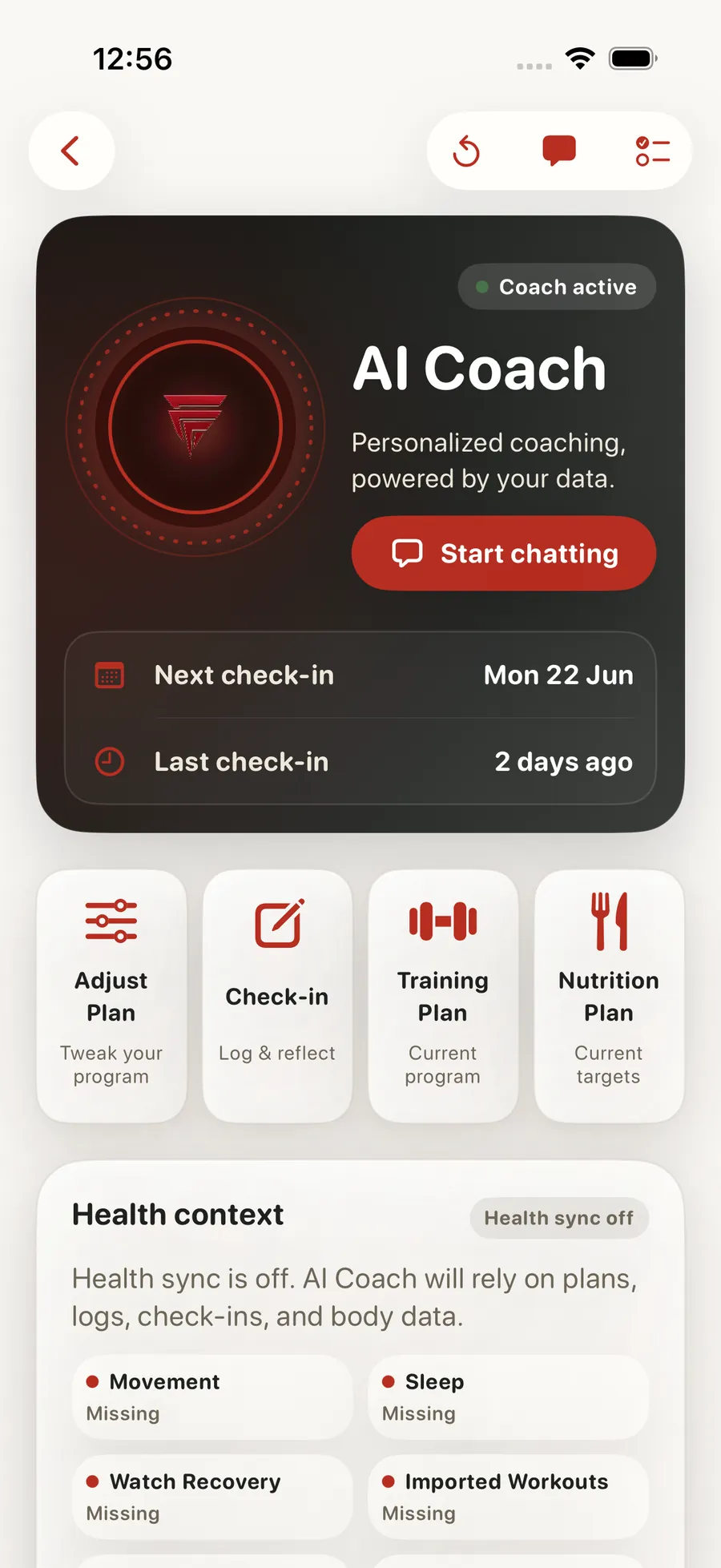
The deeper review happens weekly. Structured questions, saved check-in history, readiness signals, recent workouts, and the week’s daily entries give the AI coach or a human coach a better base for a recommendation. If a plan change is proposed by the AI coach, you review it before anything is applied.

01

Quick daily energy, soreness, and nutrition check-in

02

Structured weekly reviews with saved history

03

Readiness context from Apple Health when connected

04

AI coach recommendations that you approve before plans change

05

Optional coach review with access controlled by you

06

Daily entries available from the app or Apple Watch

Daily Check-ins connected to another Forjex workflow

How it works

Capture the day, then review the pattern

The daily and weekly check-ins solve different jobs. One is fast enough to repeat, while the other creates room to review the week properly.

  1. 01

    Log the quick signals

    Choose your energy, soreness, and nutrition state in a few taps from the app or Apple Watch.

  2. 02

    Train with the context visible

    Daily entries sit beside readiness and the session record rather than disappearing into an isolated wellness diary.

  3. 03

    Complete the weekly review

    Answer the structured weekly questions, review recent signals, and receive feedback from your AI coach or chosen human coach.

Inside the feature

Recovery context without another dashboard to maintain

Check-ins connect to the training and coaching surfaces that can use them, while keeping sharing and plan changes explicit.

01

Daily

Three signals that are quick enough to repeat

Energy, soreness, and nutrition use segmented inputs with no required free text. The same daily record can be written from the nutrition flow or Apple Watch, so you do not create competing versions of the day.

A missed day does not invent data. The history stays honest about what was and was not logged.

02

Weekly

Review more than the last workout

The weekly check-in keeps a saved history and brings the week’s daily entries into the review. That makes it easier to discuss adherence, recovery, pain, confidence, or whatever questions the coach has included.

Human coaches can create recurring schedules and question sets for their clients. AI coach check-ins use the same product context instead of starting from a blank chat each week.

03

Readiness

Pair what you report with Apple Health signals

When Apple Health is connected, sleep, HRV, and resting heart rate support the readiness view. Your own energy and soreness entries add the subjective context that a sensor cannot supply.

The result is not a medical diagnosis. It is a training view that helps you understand why the same planned session can feel different from one day to the next.

04

Control

Recommendations are visible before they change the plan

The AI coach can use check-in context to propose a change, but the proposal waits for your approval. A human coach sees check-ins only through the coaching relationship and the permissions attached to it.

That keeps a low-energy morning from silently rewriting weeks of training and keeps sensitive answers within the relationship you chose.

Questions

Daily Check-ins, explained

The practical details people usually want before adding another fitness app to their routine.

What does the Forjex daily check-in ask?

The quick daily check-in records energy, soreness, and nutrition through segmented choices. The weekly check-in can contain a broader structured question set.

Can I complete a daily check-in on Apple Watch?

Yes. The Apple Watch app can write the same daily energy, soreness, and nutrition record used by the iPhone app.

Will a check-in automatically change my workout plan?

No. The AI coach can propose a plan change, but you review and approve the proposal before it is applied.

Can a human coach see my check-ins?

A coach can review check-ins within an active coaching relationship when you have granted the relevant access. You can change that access later.

Pre-launch

Put daily check-ins in the same place as the rest of your training

Forjex is launching on iOS first. Join the waitlist and we’ll tell you when it is ready to use.

Join the waitlist