
Feature 09

Social Platform

A social network built for the gym

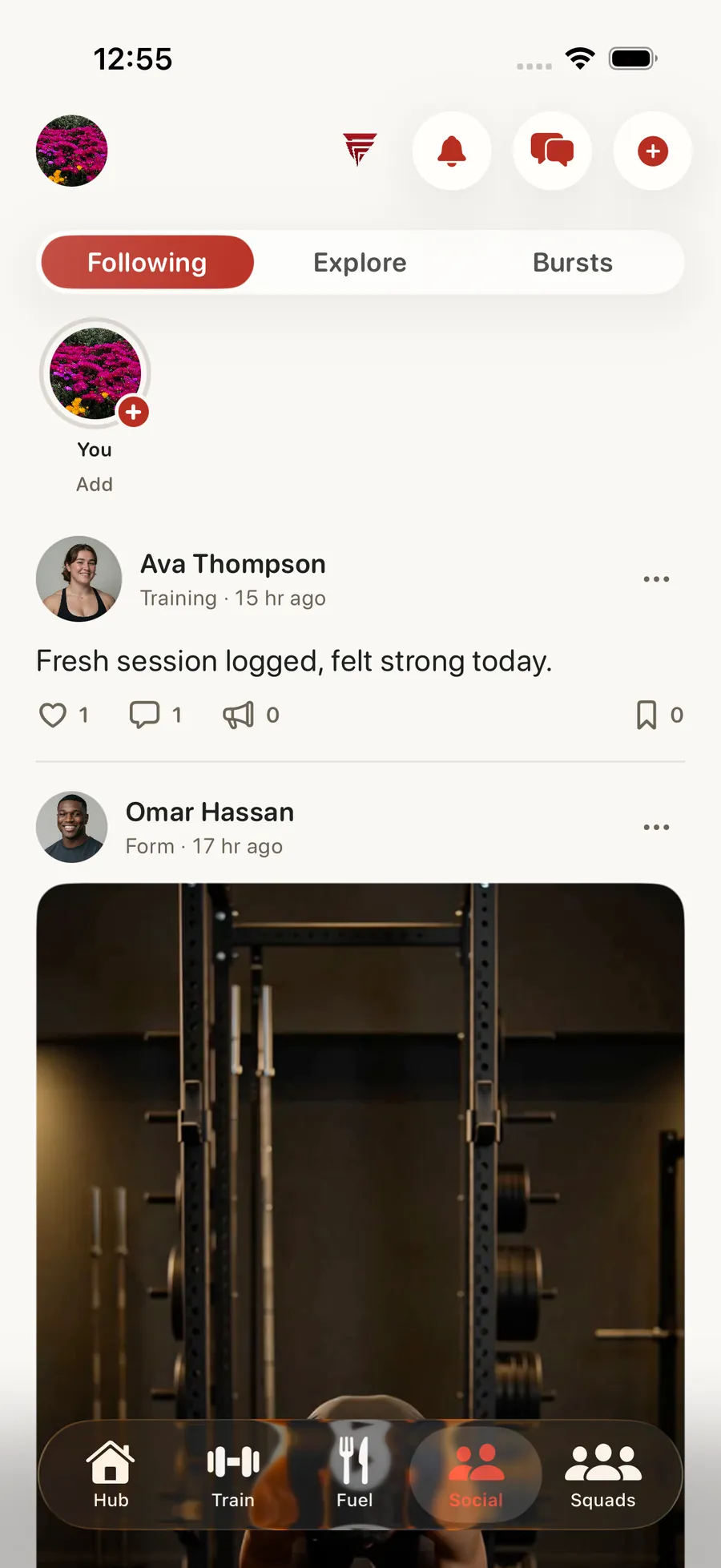
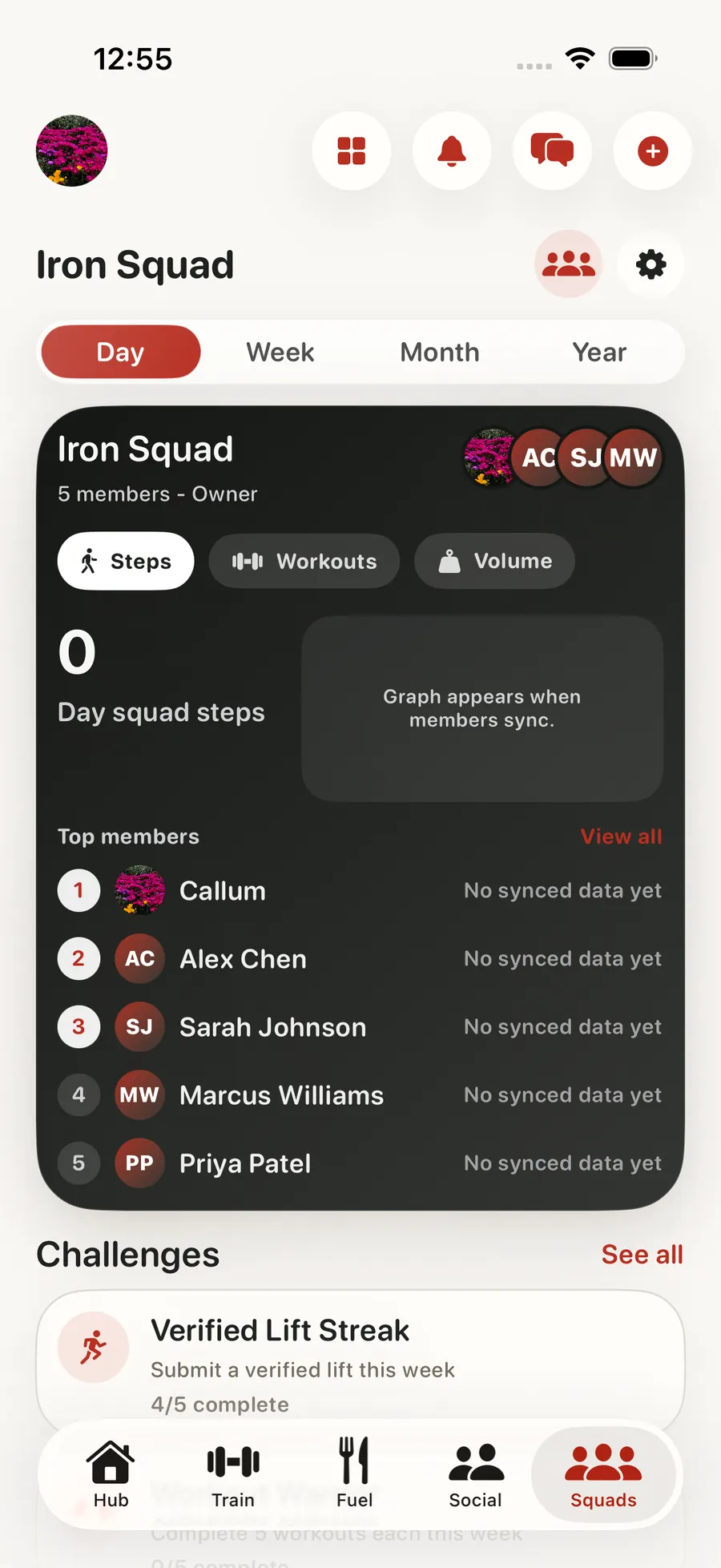
Forjex is more than a fitness app with a friends list. It's a complete social platform built around gym culture. Post your PRs and transformations to a feed where people care about training. Share 24-hour stories from your training sessions. Scroll through Bursts, a TikTok-style vertical video feed of quick gym clips. Follow athletes you admire, discover trending content through hashtags, and see everything happening in one activity feed. Create squads, launch team challenges, and rank on exercise-specific leaderboards with verified lifts.

Social Platform in the Forjex app

Overview

A fitness social network connected to what happened in training

Forjex has a full social surface because training already creates the things people want to share: sessions, personal records, clips, outdoor activity, progress, questions, and competition. The Following feed stays focused on people you chose, while Explore helps you find athletes, posts, hashtags, exercises, and topics outside that graph.

Bursts give short vertical clips their own fast feed. Moments cover temporary updates from the day. Standard posts support text, media, GIFs, location, hashtags, and exercise context, with likes, comments, replies, reposts, bookmarks, follows, reports, deletion, and sharing wired into the same social graph.

01

Full social feed with posts, likes, comments, reposts, and bookmarks

02

Bursts: short-form vertical video feed

03

24-hour stories

04

Follow/following social graph

05

Hashtag discovery and explore tab

06

Exercise leaderboards with verified submissions

07

Squads with team challenges and group chat

08

Unified activity feed for all notifications

Social Platform connected to another Forjex workflow

How it works

Post the work, find your people, keep the conversation moving

The social system supports several kinds of fitness content without forcing every workout, clip, and temporary update into one format.

  1. 01

    Choose the right format

    Create a standard post, share a quick Burst, or add a temporary Moment depending on what happened and how long it should live.

  2. 02

    Add the training context

    Attach media, a GIF, location, hashtags, exercise context, or a verified proof item where the post needs more than a caption.

  3. 03

    Continue through real actions

    Like, comment, reply, repost, bookmark, follow, report, delete, or share through visible actions with optimistic updates and honest failure states.

Inside the feature

Several feeds, one social graph

Following, Explore, Bursts, Moments, profiles, search, and activity all connect back to the same people and content instead of acting like separate mini apps.

01

Following and Explore

Separate the people you chose from discovery

Following is the feed for accounts you already care about. Explore adds category filters, discovery rails, hashtags, and broader content so finding someone new does not distort the feed you built yourself.

Pagination keeps both feeds moving beyond the first few cards. Empty and offline states explain what is available instead of inserting invented engagement.

02

Bursts and Moments

Give fast content the right shape

Bursts are short vertical clips with their own composer, media editing, captions, lift metadata, visibility, and playback feed. Moments are temporary updates for content that belongs to the day rather than the permanent profile grid.

Both formats connect to the same profile and social graph as standard posts, so an athlete does not have to rebuild an audience for every content type.

03

Profiles and search

Find athletes through the training context

Profiles bring together identity, posts, training signals, progression, and relevant competitive history. Discover search can find people and content rather than limiting search to an exact username.

Hashtags, exercise tags, and shared activity give each post more useful routes into discovery than a generic trending label.

04

Trust and actions

Every visible control has a real result

Likes, bookmarks, follows, reposts, comments, and replies update optimistically for speed, then revert or show a real error if the backend rejects the action. Reporting and deletion use explicit flows rather than decorative menus.

Verified proof can distinguish a supported result from a number written into a caption. The social layer can celebrate training without asking every viewer to take every claim on trust.

Questions

Social Platform, explained

The practical details people usually want before adding another fitness app to their routine.

What can I post on Forjex?

Standard posts can include text, photos, video, GIFs, location, hashtags, and exercise context. Bursts support short vertical video, and Moments support temporary updates.

What is the difference between Following and Explore?

Following is based on accounts you chose to follow. Explore is designed for discovery through categories, hashtags, people, and broader fitness content.

Does Forjex support comments, reposts, and bookmarks?

Yes. Posts support likes, comments, replies, reposts, bookmarks, sharing, reports, and deletion where you own the content.

Can a post include verified fitness proof?

Yes. Supported proof flows can attach verification context to a social result instead of relying only on a number in the caption.

Pre-launch

Put social platform in the same place as the rest of your training

Forjex is launching on iOS first. Join the waitlist and we’ll tell you when it is ready to use.

Join the waitlist