
Feature 10

Apple Health Integration

Put recovery beside the work

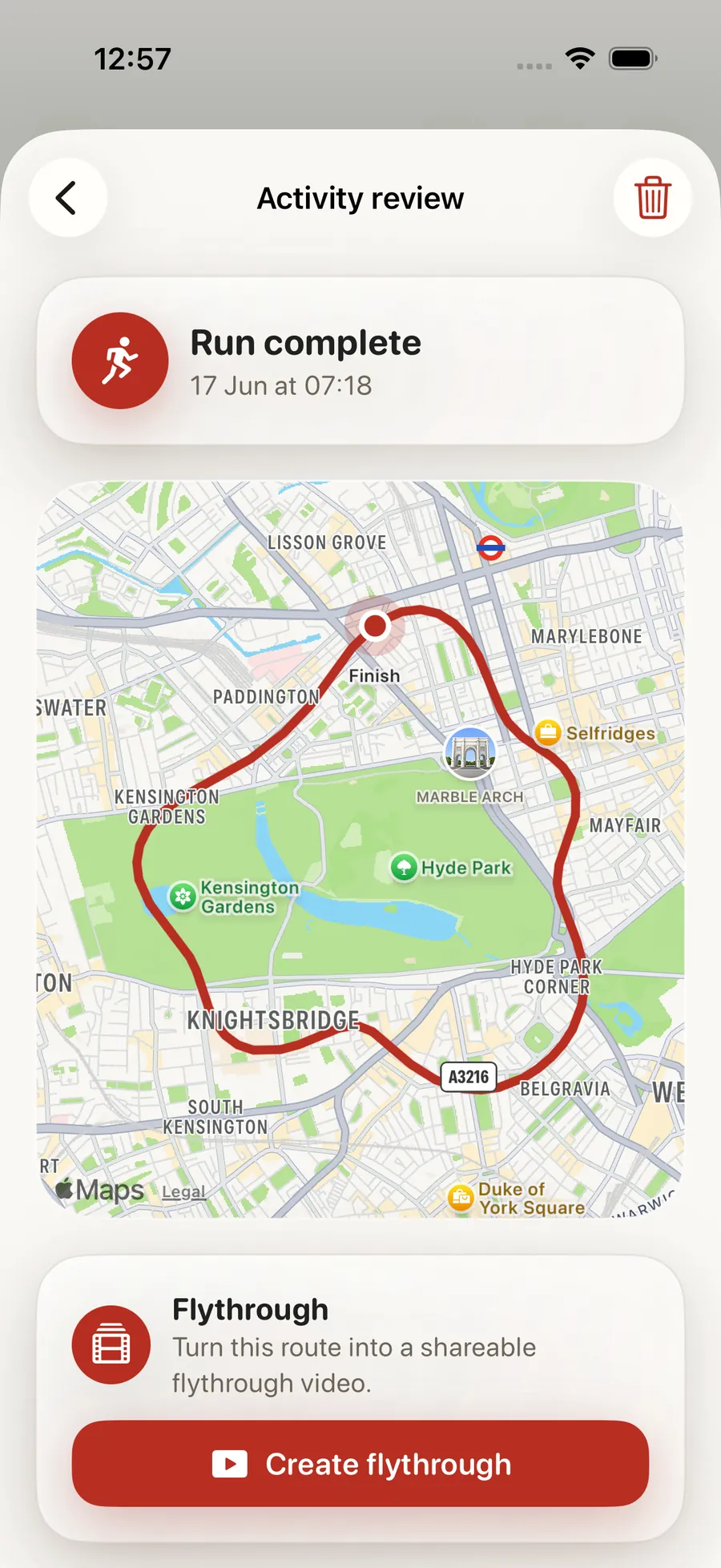
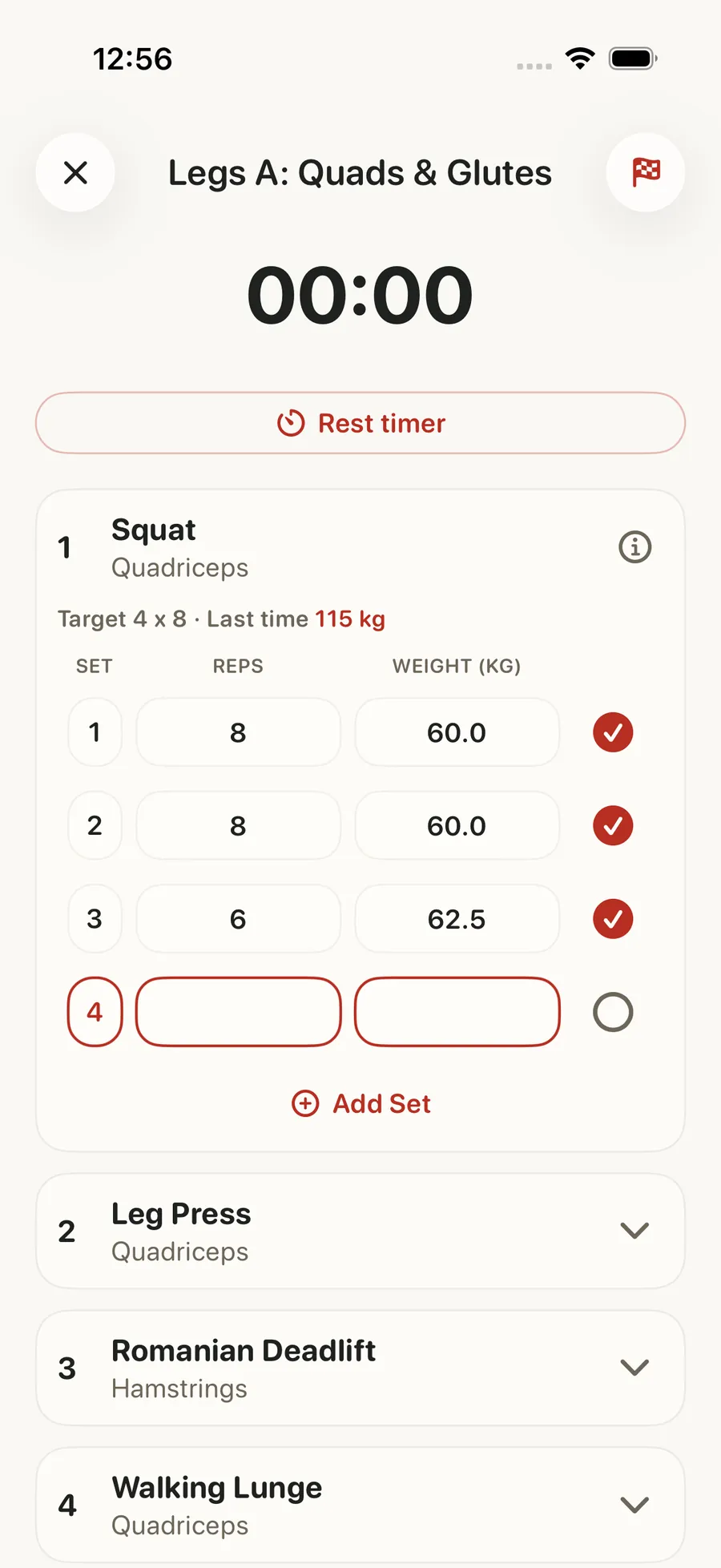
Forjex reads the Apple Health data you choose to share and puts it to work across the app. Steps and active energy feed daily activity, sleep, HRV, and resting heart rate support readiness, and live heart rate can appear during a workout. Completed Apple Health workouts, including supported outdoor route data, can join the same training history.

Apple Health Integration in the Forjex app

Overview

Apple Health data used where it changes the training view

Forjex connects to Apple Health with permission for the specific categories needed by each surface. Steps and active energy support daily activity, heart rate can appear during a live workout, and sleep, HRV, and resting heart rate contribute to readiness. The data appears beside training rather than in a duplicate health dashboard with no next action.

Completed Apple Health workouts can join Forjex history, including supported distance and outdoor route data when available. You decide whether health sync is enabled and which Apple Health permissions to grant. A missing permission creates an honest prompt or unavailable state rather than a made-up score.

01

Apple Health permission controls

02

Steps, active energy, and heart rate sync

03

Sleep, HRV, and resting heart rate readiness signals

04

Live heart rate during supported workouts

05

Completed workout and outdoor route import

Apple Health Integration connected to another Forjex workflow

How it works

Connect once, then use the signal in context

Health data is most useful when it appears at the decision point: before training, during the session, or inside the history you review later.

  1. 01

    Choose the Apple Health access

    Enable health sync and review the Apple permission request for activity, heart, sleep, and workout categories used by Forjex.

  2. 02

    See the signal in its product surface

    Use steps and energy on the Hub, readiness before training, and live heart rate during supported workouts.

  3. 03

    Keep completed work in one history

    Import supported Apple Health workouts so outdoor and watch-recorded activity can sit beside sessions logged directly in Forjex.

Inside the feature

Health signals with a job to do

Forjex does not claim to replace Apple Health. It uses the data you share to make training, recovery, and history more complete.

01

Daily activity

Steps and active energy beside today’s plan

Synced steps and active energy feed the Hub and activity views. That puts movement outside the gym beside the planned session without asking you to copy numbers from another app.

Widgets and complications can surface current values after the iPhone app has written the shared snapshot needed by the extension.

02

Readiness

Use sleep, HRV, and resting heart rate together

The readiness view uses available Apple Health sleep, heart-rate variability, and resting heart-rate signals. Day, week, and month views help separate one unusual morning from a longer pattern.

The screen explains when Apple Health access or recent data is missing. Readiness is training context, not a medical diagnosis.

03

Live workout

Bring heart rate into the session when it is available

During supported workouts, live heart rate can appear beside the set and rest controls. That keeps the signal close to the session instead of requiring a switch to a separate dashboard.

Forjex still works as a strength-training log without heart-rate access. Health permission is an enhancement, not a requirement for recording sets.

04

Workout import

Keep watch-recorded activity in the same history

Completed Apple Health workouts can be imported with their workout type and supported metrics. Outdoor sessions can include distance and route data when those fields are present and permitted.

Imported and Forjex-recorded sessions share the broader history while retaining the source needed to understand where the record came from.

Questions

Apple Health Integration, explained

The practical details people usually want before adding another fitness app to their routine.

Which health platform does Forjex integrate with?

Forjex currently integrates with Apple Health on iOS. Health permissions remain under your control through Apple’s standard access flow.

Which Apple Health data can Forjex use?

Depending on the permissions you grant, Forjex can use steps, active energy, heart rate, sleep, HRV, resting heart rate, completed workouts, distance, and supported outdoor route data.

Do I need Apple Health to track a workout in Forjex?

No. The workout tracker works without Apple Health. Connecting it adds activity, readiness, heart-rate, and import context where available.

Can I control which Apple Health permissions I grant?

Yes. Apple presents the category permissions, and Forjex reflects missing access with prompts or unavailable states instead of inventing the data.

Pre-launch

Put apple health integration in the same place as the rest of your training

Forjex is launching on iOS first. Join the waitlist and we’ll tell you when it is ready to use.

Join the waitlist