
Feature 05

AI Form Analysis

Upload a video. Get coached on every rep.

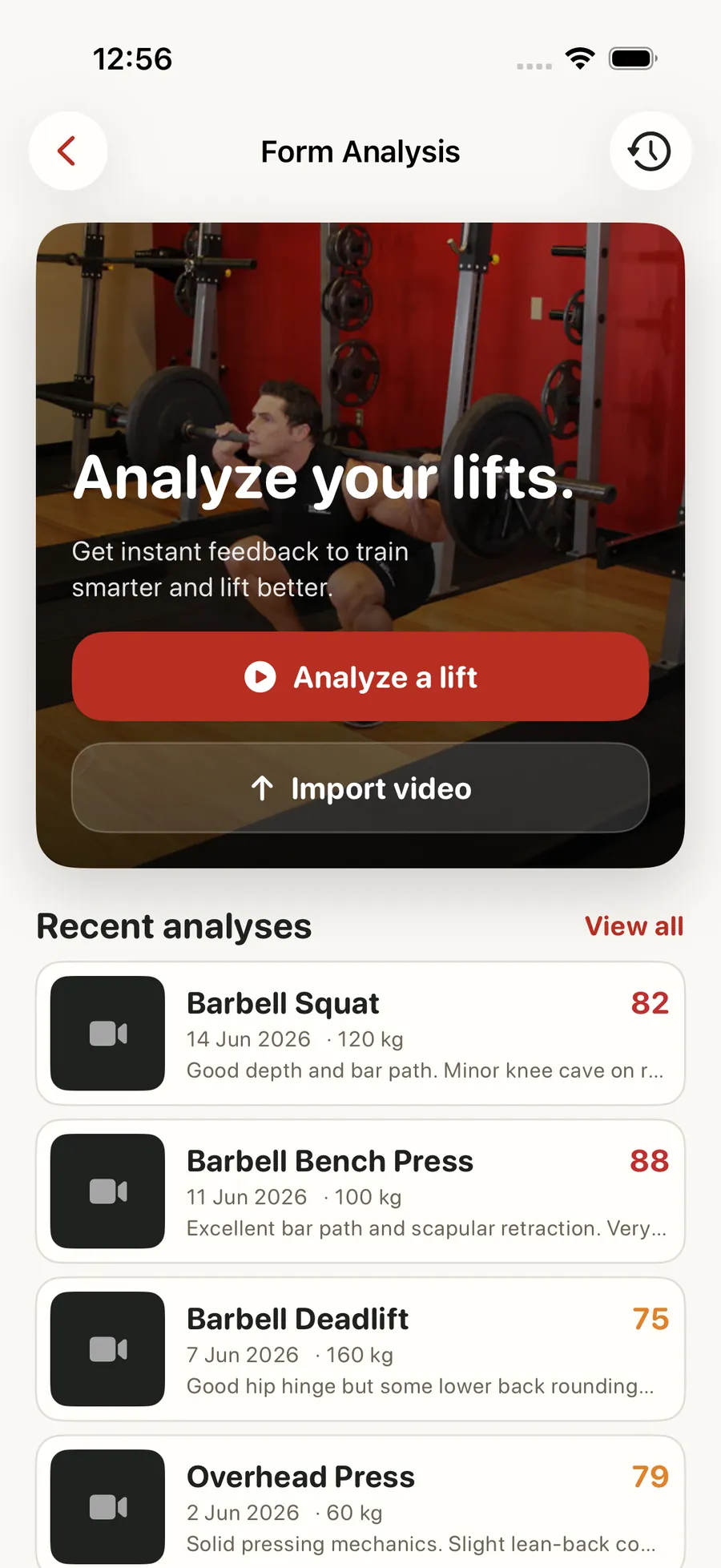
Record or upload a set and Forjex returns an overall form score, a plain-English summary, key findings, phase-by-phase notes, and recommended drills. Annotated pose frames show where each finding comes from. If the angle or visibility is not good enough for a reliable assessment, the result says so instead of pretending to know.

AI Form Analysis in the Forjex app

Overview

A form check that shows where the feedback came from

Record or upload a set and Forjex analyses the movement as a sequence, not as one flattering frame. The result includes an overall form score, a status, a plain-English summary, positives, improvements, key findings, phase notes, and recommended drills. Annotated pose frames connect the written point back to the video.

Video analysis has limits. A blocked joint, poor angle, dark room, or cropped rep can make a confident answer worse than no answer. Forjex includes limited-visibility and unusable states so the result can explain what was missing and ask for a better capture instead of inventing precision.

01

Overall form score and assessment summary

02

Annotated pose frames with a skeleton overlay

03

Key findings and phase-by-phase breakdown

04

Recommended corrections and drills

05

Original and annotated video views

06

Honest limited-visibility and unusable-video states

AI Form Analysis connected to another Forjex workflow

How it works

Record, review, repeat

The result is designed to lead into the next set. It identifies the useful correction, shows the relevant phase, and keeps the assessment in your history.

  1. 01

    Capture the full movement

    Record in the app or choose a video, keeping the full body and working joints visible for the clearest assessment.

  2. 02

    Review the annotated result

    Read the summary, key findings, phase breakdown, and recommended drills while switching between the original and annotated views.

  3. 03

    Use one correction next

    Take the most important cue into the next set, then keep the assessment in history so later videos have real context.

Inside the feature

Feedback you can trace back to the set

Scores are only useful when the underlying finding is visible and the next action is clear.

01

Assessment

A summary plus the movement detail

The result separates the overall assessment from exercise and phase detail. Positives show what should stay, improvements identify the priority, and key findings explain the evidence behind the score.

Recommended drills and corrections turn the analysis into something you can use in the next warm-up or training session.

02

Annotated video

See the pose model over the original footage

Annotated frames and a skeleton overlay show how the assessment read the body position. You can switch back to the original view to check the source footage without the overlay.

The aim is not to replace judgement with a coloured line. It is to make a written cue easier to locate in the movement.

03

Honest states

Poor evidence gets a clear warning

The assessment can report limited visibility when part of the movement is obscured, or mark a video unusable when there is not enough evidence to analyse responsibly.

Those states include guidance for a better capture. A retake with the right angle is more useful than an exact-looking score built from missing joints.

04

History

Keep the result beside your training

Completed assessments remain available with their scores, summaries, findings, drills, annotated frames, and source video. That gives you a record of the cues you worked on across several sessions.

If you work with a human coach, form review can also sit inside the coaching workflow rather than moving between the camera roll, email, and a separate notes app.

Questions

AI Form Analysis, explained

The practical details people usually want before adding another fitness app to their routine.

What does a Forjex form analysis include?

A result can include an overall score, summary, positives, improvements, key findings, phase-by-phase notes, recommended drills, and annotated pose frames.

Can I compare the annotated view with my original video?

Yes. The result lets you switch between the original footage and the annotated view with its pose overlay.

What happens if the camera angle is poor?

Forjex can return a limited-visibility or unusable result and explain what needs to be visible in a better capture instead of presenting unreliable feedback as certain.

Are previous form checks saved?

Yes. Completed assessments stay in your form-analysis history with their result detail and associated video.

Pre-launch

Put ai form analysis in the same place as the rest of your training

Forjex is launching on iOS first. Join the waitlist and we’ll tell you when it is ready to use.

Join the waitlist